

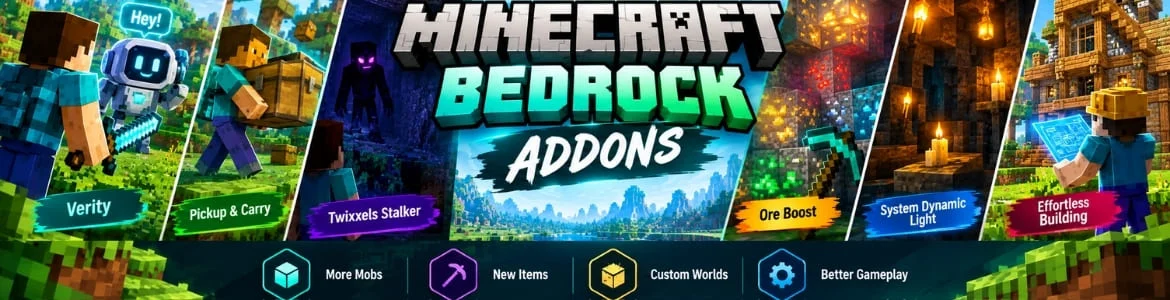
Minecraft Bedrock addons are basically custom files that allow players to add additional features, and make changes into all the entities behaviour. They create mobs and made of two different things resources and behaviour packs. Using them gamers can personalize the gameplay sound, and enhance the graphics. Along with this, numerous new creatures, items and blocks can be inserted within the game through them. In this blog we will guide you about the addons and their role in this game.
Popular Minecraft Bedrock Addons
Following are a few addons trending among the gamers that you can use to transform the complete gaming experience.
Verity
This is a virtual personal helper acts as a companion and stays alongside the player in the game. It can help fulfilling lots of in-game tasks and answer to any question asked by the gamers when on the ground. If it is inside the inventory then wake it up by saying Hey Verity. No matter if you are interested to find the ore and identify the voices you are hearing from a distance it helps with everything while playing. Avoid losing the range because it cannot hear you when the distance is increased rapidly.
Pickup & Carry
Another trending Minecraft Bedrock addon which enable players to grab chests and other storage blocks and move them to new locations. Using it players can also drop the carried objects from any height and launch them forward. If the chests are released from high heights they can break and all the items inside them will be scattered. Other players can also steal the items from the boxes that you are holding which makes the game more interesting.
Twixxels Stalker
It is a scary entity that gamers can add to the gameplay to make it more exciting. When you play with this addon a strange creature which prefers to stay hidden keeps observing you from the darkness. The only weakness of this mob is it stops moving when you look straight into its eyes. As long as you maintain the interaction with it nothing will happens. But the moment you slip your attention it may starts appearing anywhere in the map like caves and forests. With every glance it may looks closer than before. If you love playing horror games then download this addon.
Ore Boost
Players have to go to several places for finding the ore and mine valuable items. Some areas are only filled with creepy creatures to fight with and others have nothing to gather. With this Minecraft Bedrock addon players can increase the ore generation and go through different adventures. This help players avoid wasting time and start mining a set of resources from a single place. It boost the ore and makes it easier for players to find and collect the objects.
System Dynamic Light
Many gems and other items can be hidden inside the caves which are full of with darkness. Sometimes, players have to fight with some deadly monsters to survive while exploring them. If you ever think to lighten them up then this addon is a handy for you. It is developed to give games ability for illuminate the caves with different lights. These include torches, candles, magma and glow stones. You can choose any of the preferred option to glow the caves for roaming inside them.
Effortless Building
This addon is basically inspired by the Java mod which enable players to craft structures and buildings much faster than ever. There is no need to place blocks one by one because various building modes are included in it. They helps in building floors, walls, lines and other shapes with just a few clicks. However, the required blocks from the survival inventory are still utilized which makes the building process a part of the standard gameplay.
How To Download & Install Minecraft Bedrock Addons?
Players can visit the official in-game store and other trusted community platforms to get their required addons. If you prefer downloading from an external source then these are the helpful steps to follow.
- Visit any legitimate platform such as curseforge and locate the desired addon.
- Next step is to locate the button marked as download and press it.
- An .mcpack file will be downloaded in your device file manager.
- Go into the folder where the file is stored and tap it twice.
- Minecraft game will be launched automatically showing an import button.
- Tap it and go into the world settings.
- There explore the resource pack and hit the enable button.
Conclusion
Hundreds of addons are available to add within the game in which a few popular ones are given above for players ease. Please note, always download them from a legitimate platform to not end up in any kind of trouble. Some mods for Minecraft Java edition are also present to change the core mechanics of the game.
FAQs
Is there any limitations when download Minecraft Bedrock addons?
No, there is no restrictions for players to download addons for enhancing the storyline.
What players can do with these addons within the game?
They help players to add random blocks, new worlds and other things which are unavailable in the standard gameplay.