

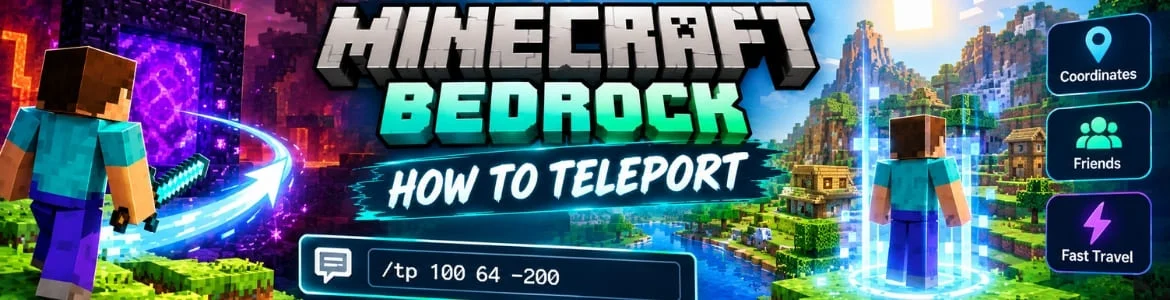
Minecraft is known for its open world map in which players can move across different locations to play. The storyline is not traditional like other games that means gamers get full freedom to perform any activity as per their wish. Since the game provides endless entertainment and allow players to craft their own worlds. However, moving the character for going to some certain places like forests or other universes can take a lot of time. To make it easy an exciting feature called teleportation is included. Using it you can take the avatar to any of your required spot in the game in a couple of seconds. This blog covers the steps to teleport the character and other relevant details so lets dive to them.
Easy Ways To Teleport in Minecraft Bedrock
In order to move the character to another spots follow these given below steps.
Enable Coordinates
- Stop the game and go into the settings by pressing the icon.
- After doing this look for the show coordinates option and enable it too.
Note The Desired Coordinates
- Next step includes going towards the top left corner of the screen.
- There you will get a few numbers listed as positions.
- From there write down a number of the spot where you need to teleport.
Open Chat Box
- If you are using a smartphone then press the chat icon which you may find at the top center of the screen.
- PC players can use the slash probably shown as / on the keyboard and T button.
Type The Command & Teleport
Inside the chat bar type the following commands.
For Certain Coordinates
/tp <X> <Y> <Z>
To Teleport To A Friend
/tp <Your Friend Name >
For Teleport A Friend To You
/tp “Friend Name” @s
Please note that write the coordinates and friend names correctly to not face any trouble while teleportation of your character.
Benefits of Minecraft Bedrock Teleportation
Following are a few benefits of this awesome feature of this game.
Save Travel Time
This allow gamers to reach the places located far away instantly instead of running and walking. If you are playing in survival mode then this feature becomes really handy because you can make the journey to important locations like mines and villages without any delay.
Quick Revisit
Going back to the base or other area which has essential resources by jumping or flying can be annoying sometimes when you need to move between different locations. By saving the certain coordinates players can avoid this hassle and go to a particular spot repeatedly without having to remember the entire route.
Helpful for Multiplayer
It makes playing the game easy by letting players to move themselves and their teammates to other locations. The server administrator and other players having the permissions can use the teleportation commands for gathering friends together in a specific spot.
Conclusion
Minecraft Bedrock comes with in-built feature called teleport which makes easier for gamers to explore vast worlds. By using it players can choose the favorite coordinates and take the avatar to distant places in a blink of eye. The entire steps are mentioned above for gamers convenience. If you are looking for shaders then a comprehensive guide on how to get shaders in Minecraft Bedrock is also exists.
FAQs
Can players type random coordinates to teleport within Minecraft Bedrock?
Yes, typing custom coordinates for moving the character to other location through teleportation is allowed.
Do players have to spend on in-game purchases for using this feature?
No, it is a free to use function of Minecraft Bedrock which can be used by any players with no hassle.